Three things here. First, how to read the chart and judge a swell yourself. Then how the explorer shows the swell before it arrives, and how the app fits computer and phone. At the end, a short tour of where each thing lives.
Reading the sea
How to read the chart
The score answers "is it good?" in one number. This is how to see it for yourself, in four things on the screen.
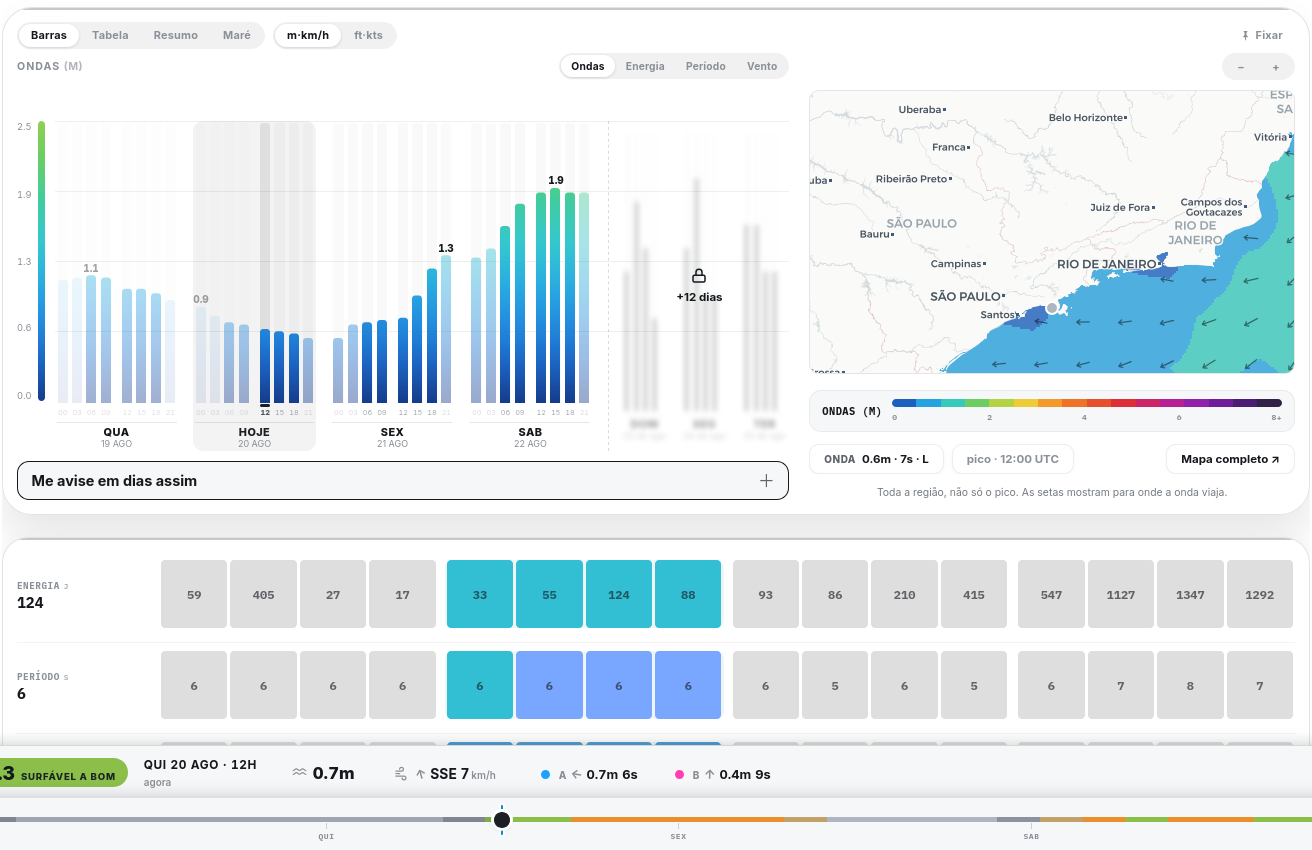
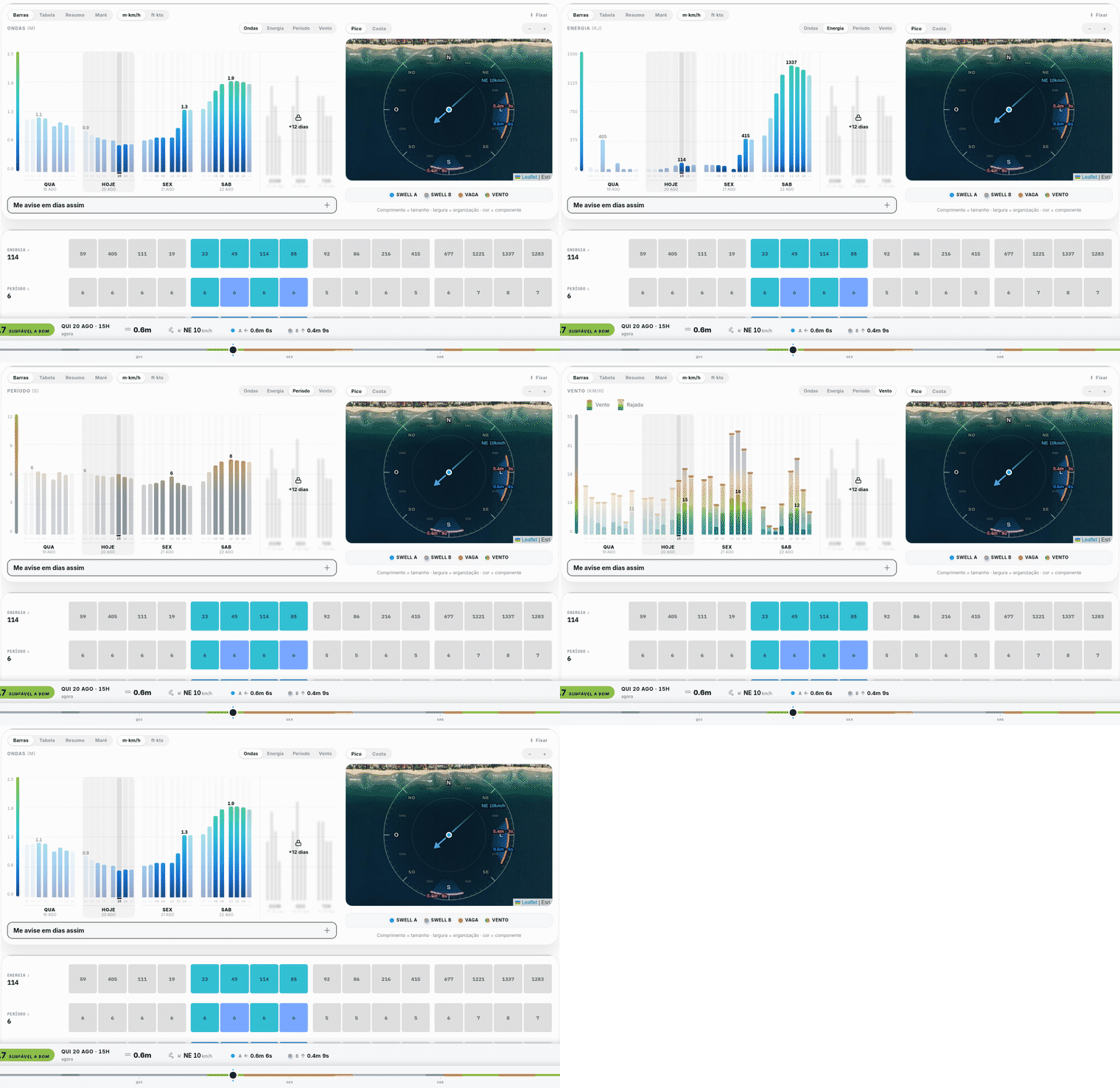
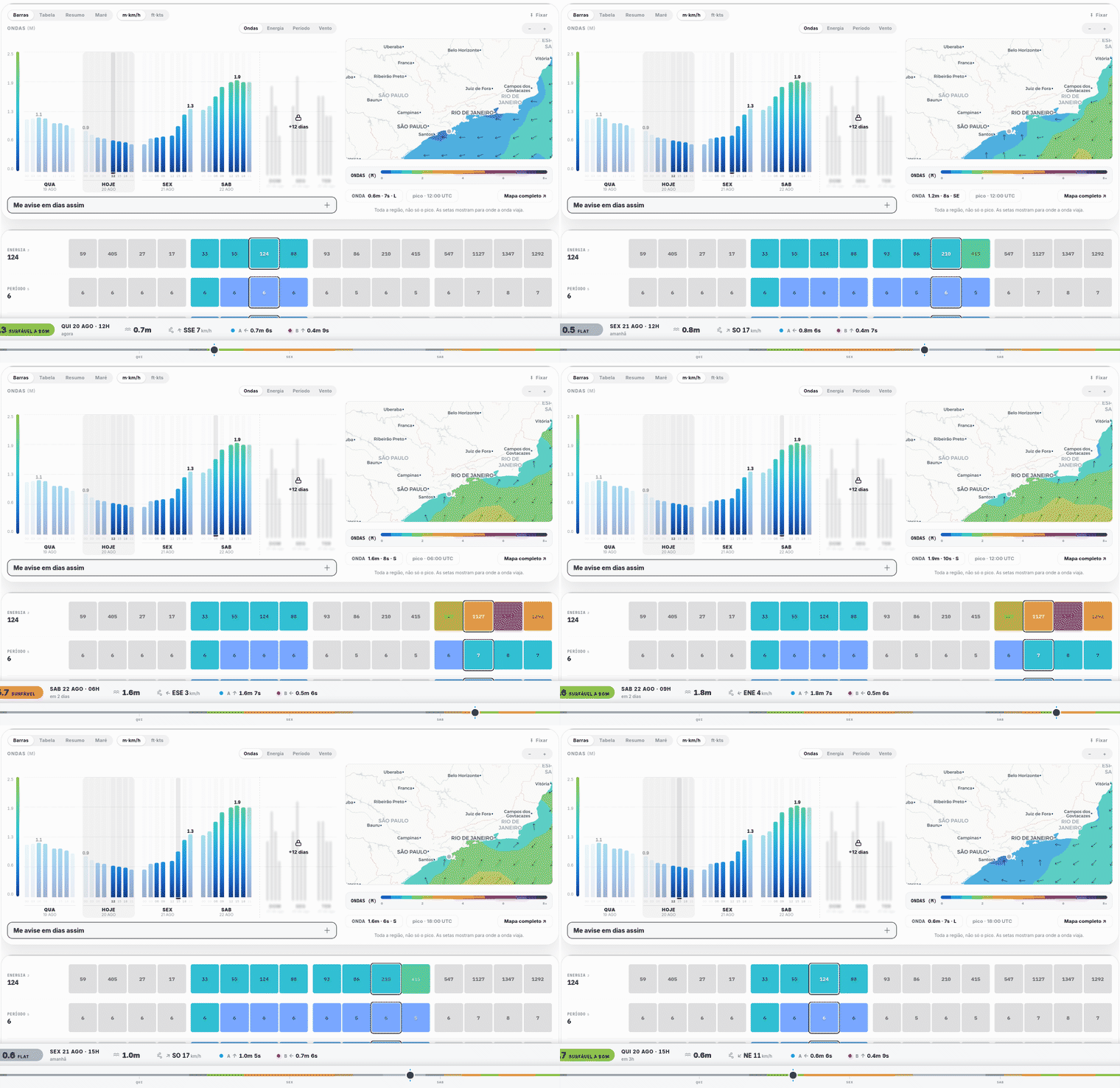
A real spot (Maresias, SP), captured from the live app: each bar is a 3-hour window; beside it, the map shows where the waves come from; below, the coloured rail tells the good days (green) from the weak ones (grey).The same sea, four questions: the Waves, Energy, Period and Wind buttons switch what the bars show. Energy joins size and push in one number; Period shows the seconds of each hour straight on the bar — the reading from question 1, without opening anything.
1
Period, on the readout bar
Above the chart, the A and B cells are the swells arriving. The arrow is where it comes from; the number beside it is the period — the seconds between one wave and the next.
Period is what tells a real swell from local chop:
10 s or more. Born in a distant storm, it travelled and sorted itself out. Arrives in lines, with push. This surfs.
Under 10 s. Local wind lifting water right there. Arrives lumpy and disorganised. Rarely surfs well, however tall.
Two days with the same height can be completely different waves. Look at the seconds first.
On a phone the component height is hidden and only the period stays — it is the number the wave height does not already give you.
2
Direction, on the spot's compass rose
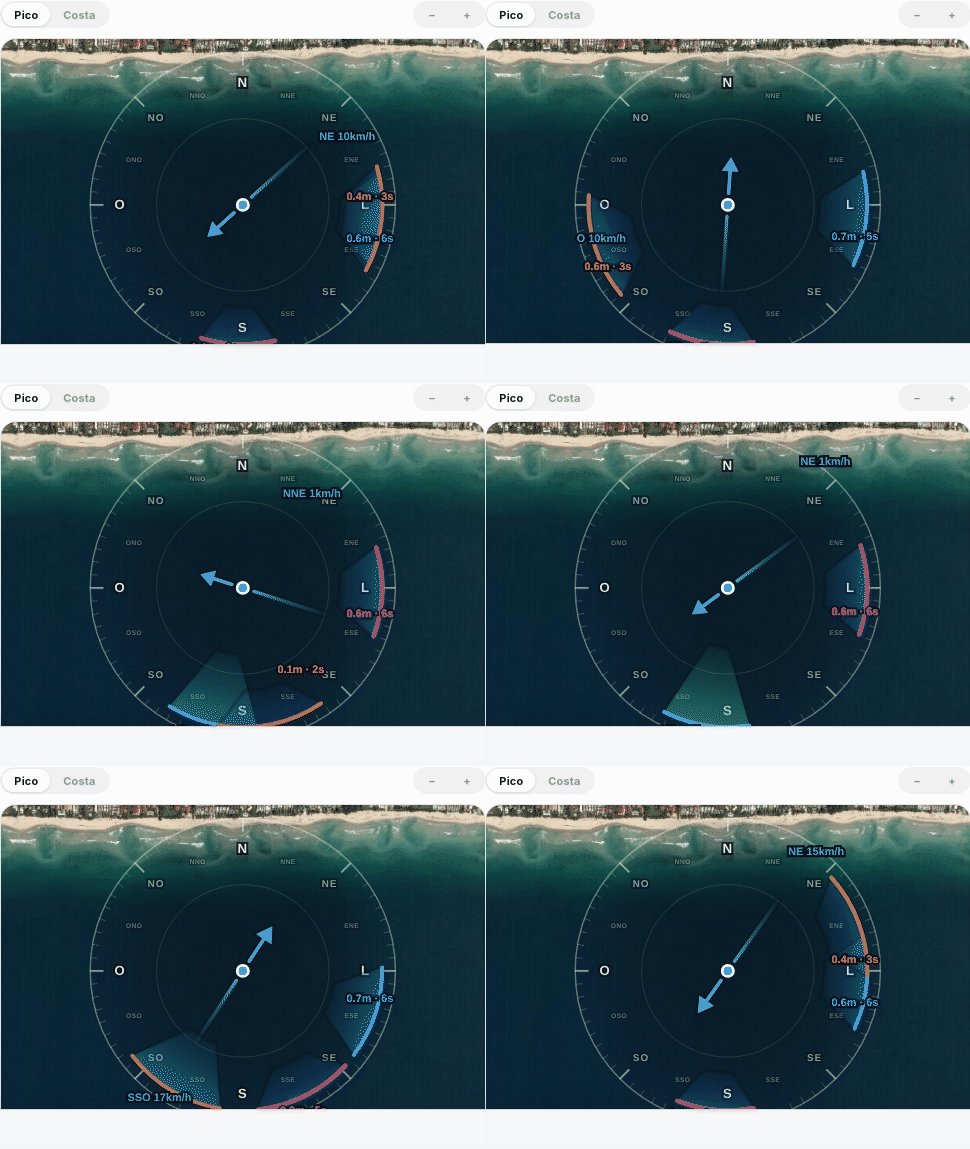
In the map's Pico tab, the swell turns into coloured wedges on a compass rose drawn over the satellite photo of the beach.
Each wedge is born at the rim, on the bearing the swell comes from, and thins inward until it reaches the spot — the drawing points where the energy is going. Three things to read:
Position is the direction. Every beach only "sees" a slice of the horizon — if the wedge does not point into the water in front of the beach, that swell is not coming in, however big it reads.
Colour is the size, on the same scale as the explorer map.
Opening is the period: a narrow beam travelled far and arrives organised; a wide fan is local chop scattered everywhere.
The dashed line is the coastline's direction. The arrow in the middle is the wind: it points where it blows to, and the colour gives the quality away — green from land (grooms the wave), yellow across the shore, red from the sea (ruins it).
Drag the time rail and watch the wedges turn hour by hour.
The rose of a real spot (Maresias) as time moves: the wedges turn, the wind arrow swings. This is the reading of question 2 happening.
3
Wind, on the same chart
Switch the chart to wind: the solid column is the average, the faded extension above it is the gust.
The gap between solid and ghost is how gusty it is. Short bar with a long ghost means unstable wind; the two together mean steady.
The arrow at the base is the direction. Blowing from land to sea grooms the wave; from sea to land it crumbles it. Wind never builds a wave — it only tidies or ruins one, which is why the best window so often falls at dawn.
4
Tide, when the spot depends on it
Some spots work on any tide. Others only open on a narrow band — and on those, the tide decides the day.
Where the bottom is shallow or a reef, too much water drowns the wave and too little makes it shut down. That is why every spot in Swellfy carries the tide band it actually works on.
On the tide chart, the shaded stretch of the curve is that band. The question it answers is not "how high will it get" — it is from what time to what time you can surf here today.
Predicting
Explorer mode: see the waves before they arrive
The spot page answers "how is it here". The explorer shows the whole ocean at once — it is where you watch the swell on its way, days ahead.
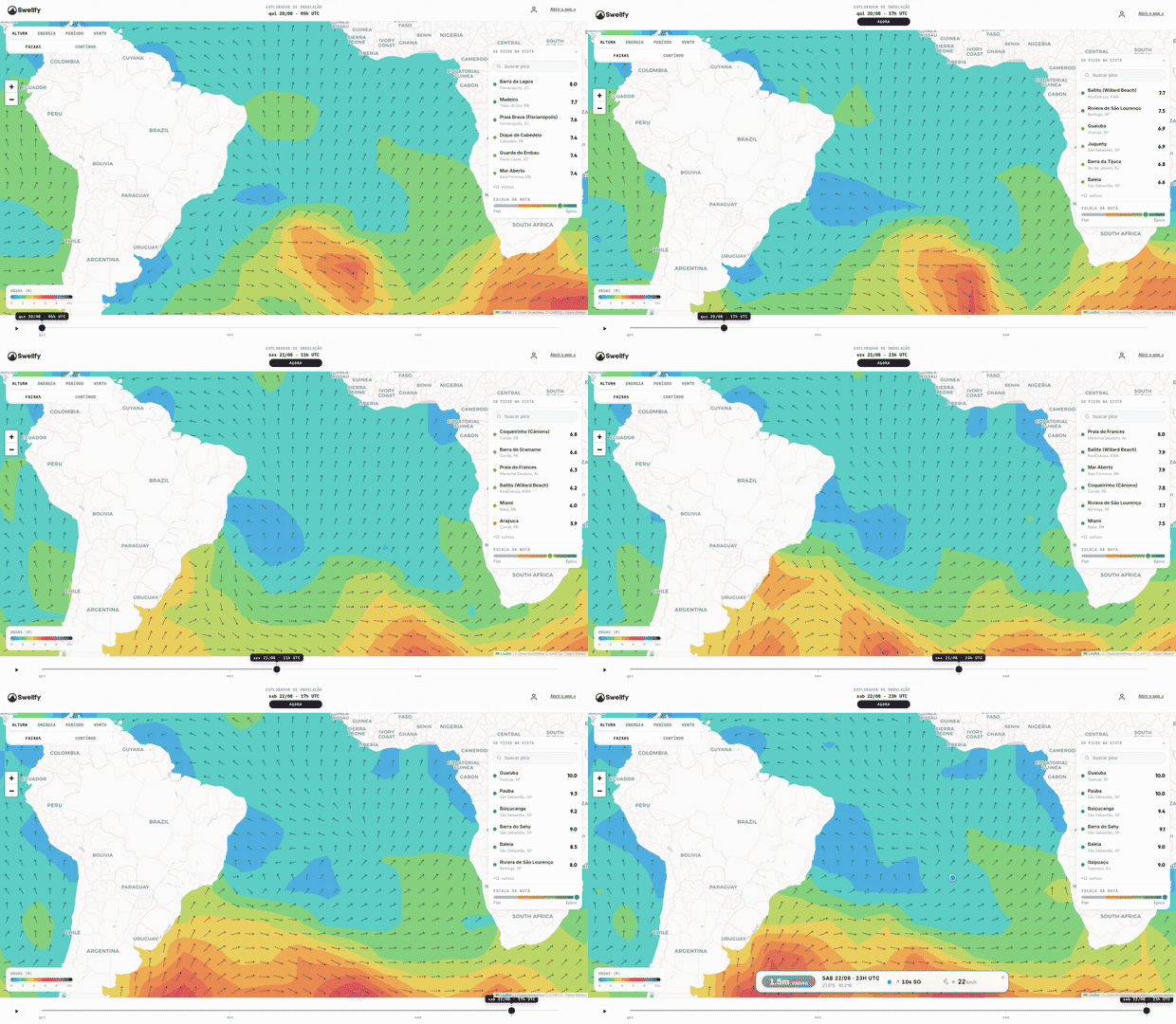
The explorer in use: play moves the forecast across the Atlantic; at the end, one tap on the sea shows size, period, direction and wind at that point.
1
The whole ocean at once
Colour is wave size: the warmer it gets (green, then orange, then red), the bigger the wave. The little arrows show where the waves are heading. That is how you watch a swell being born far away and walking towards the coast.
2
Press play and watch the forecast move
The map moves forward through the days like a film, and the rail below marks the moment you are seeing. The wave that reaches your beach the day after tomorrow is already on the map today.
3
The buttons on top change what the colour means
Height is the size. Energy is the push. Period is the seconds between one wave and the next — 10 or more means it travelled from far away and arrives organised. Wind shows where it blows from and how hard.
4
Tap the sea to measure any point
One tap anywhere on the ocean drops a pin and reads that point on the spot: size, period, direction and wind — like a buoy wherever you need one.
5
The list on the side points to the best spots
The spots inside the map come ranked by their score — and the order changes as time moves.
In short: find the coloured patch, check whether the arrows point at your coast and confirm the period. When the three line up, a surf day is coming.
On the computer: dragging the time rail moves chart cursor, panel and map together.
On a laptop or desktop, chart and map sit side by side. Slide the mouse over the bars to see each time; drag the knob on the coloured rail below to travel through the next days.
The rail is painted by the score: a green stretch is a good day, grey is a weak one — you can spot the best day before even dragging.
The panel pinned at the bottom (the HUD) sums up the pointed time: score, day and hour, wave size, wind and the two swells A and B. It stays put while you explore.
On the phone
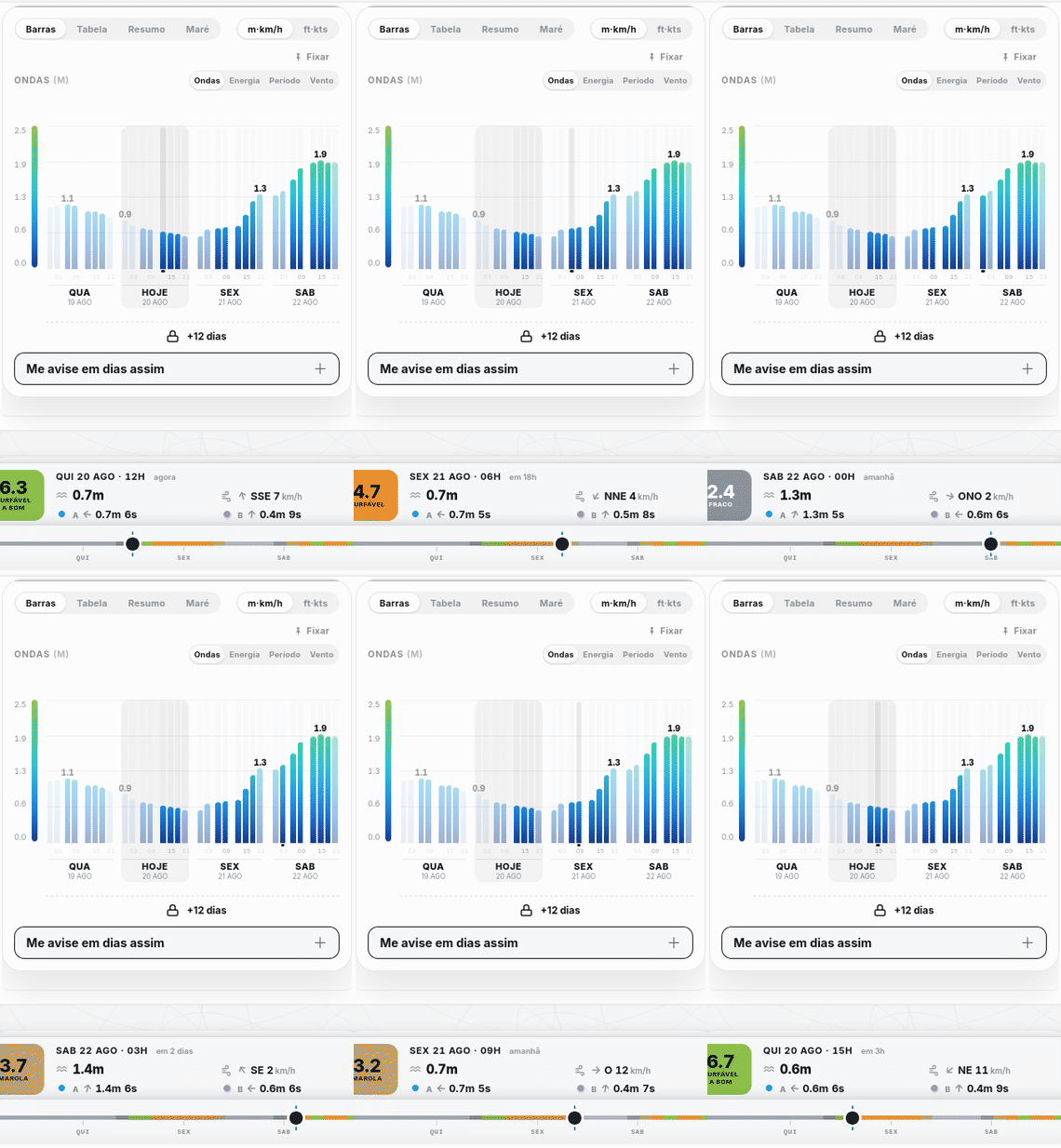
On the phone: the chart scrolls under your finger and the bottom panel reads each time it points at.
On the phone, drag the chart sideways with your finger. The HUD stays fixed at the bottom, always reading the time under the cursor.
On the small screen the A and B swell heights hide and only the periods stay — the number the wave height does not tell you.
Reached the end of the page? The HUD steps away and search takes its place, so the next spot is one tap away.
The app
Where each thing lives
1
Find a spot
Search by name, city or state — or browse state › city › spot. The panel over the map ranks the best spots in view by their current score.
2
Read the score
Colour and the 0–10 number say the same thing at two speeds: grey means no wave, orange means rideable, green means go. The full scale is below.
3
Best window & days
See the best time of day, and tap a day on the strip to open its hour-by-hour reading.
4
The chart
One bar per 3-hour window, 00h to 21h. Night blocks stay dimmed — the sea is continuous, the surfing is not. How to read it: see How to read the chart.
5
Swell map
The map has two readings: Pico, the compass rose over the satellite photo (see question 2), and Costa, the regional swell field. Drag the rail (or hover the chart) to scrub hour by hour.
6
History
Pick a month/year to replay past conditions scored by the same engine — handy to sanity-check against real sessions.
7
Alerts (with an account)
On the chart, pin a day and tap "Alert me on days like this" below it to save that day's swell setup (direction, size, period). We'll ping you — on the site and via push on your phone — when it lines up again. Manage everything in My Alerts.
The score
Understand the score
One number from 0 to 10 for how this spot is right now. It is not an average of pretty numbers: the wave's energy sets the base, and everything else weighs far more downward than up — wind alone can cut the score in half, and at its best it adds about a tenth. A big swell with the wrong wind does not score high, because it is not good.
The scale
8.9+ExcellentThe kind of day you remember.
6.9 – 8.8GoodWorth the drive.
4.8 – 6.8RideableRideable — go if it is close.
1.6 – 4.7MushyBarely anything, or too messy to ride.
< 1.6FlatNo wave.
Behind the number: wave energy, how the size fits this bottom, swell direction and period against this spot's window, wind, tide, and how clean the sea is. Every one of them is measured for the hour you are looking at and calibrated for that specific spot. On the spot page, "Why this score" shows which one is holding it down right then.
What the score does not know: the crowd, how the sandbank is shaped this week, and whether you are the kind of surfer that spot asks for. A 6 at your home break can beat an 8 three hours away.